
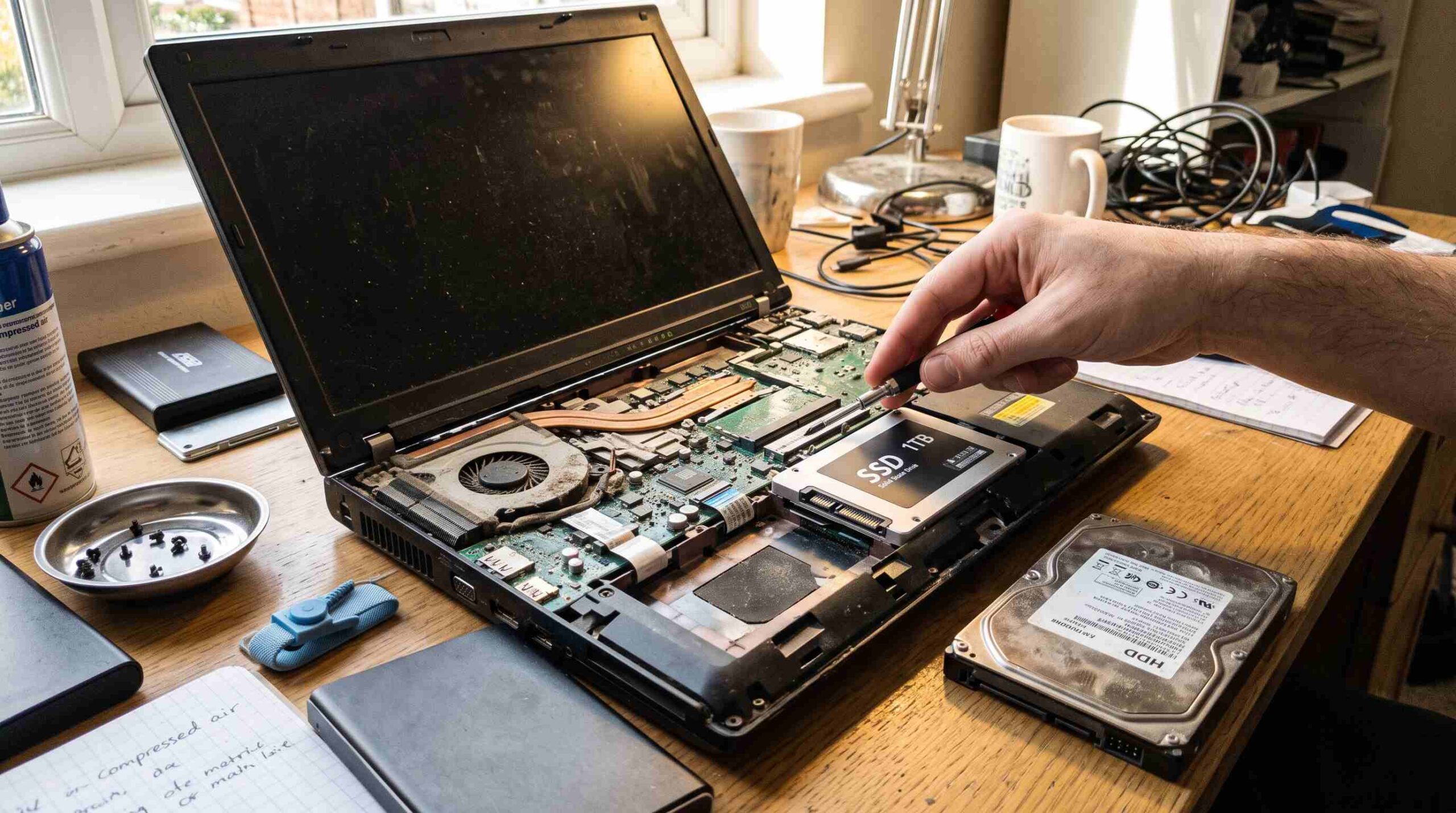
If your laptop takes forever to boot, apps freeze when you open them, and everything feels sluggish, you’ve probably asked: is an SSD upgrade worth it for an old laptop, or should you just buy a new one? For most people, swapping in an SSD is one of the cheapest, most effective upgrades you can make. It often adds years of life to a machine you thought was done.
What Actually Slows Down an Old Laptop
Before you decide if an SSD upgrade is worth it for an old laptop, you need to understand why old laptops feel slow. Usually, the processor isn’t the problem. The hard drive is. Traditional hard disk drives (HDDs) use spinning metal platters and a moving read/write head. This mechanical process can’t keep up with modern software demands. Every time your laptop reads a file, opens a program, or loads your operating system, that slow mechanical process creates a bottleneck.
How an SSD Changes Everything
A solid-state drive has no moving parts. It stores data on flash memory chips, similar to a USB stick. This design makes read and write speeds dramatically faster. That speed boost is the core reason an SSD upgrade is worth it for an old laptop: it fixes the actual source of the slowdown instead of masking it. Boot times that used to take two or three minutes often drop to under 20 seconds. Programs open almost instantly. Even simple tasks like browsing files or switching between apps feel snappier, because the drive no longer holds everything back.
Real-World Performance Gains
People who switch to an SSD often say it feels like a new computer. That’s not an exaggeration. Many repair shops and IT professionals recommend an SSD upgrade as the first fix to try on an old laptop before spending money on anything else. Backblaze’s drive reliability research also shows that SSDs tend to outlast traditional hard drives, since they have no fragile moving parts to fail from shock or vibration. That durability matters if you travel with your laptop or toss it in a bag.
Is It Worth It Compared to Buying a New Laptop?
This is the real question behind “is an SSD upgrade worth it for an old laptop.” A 500GB to 1TB SSD usually costs a fraction of a new laptop’s price. If your laptop supports it, you can often finish the installation in under an hour, even with no technical background. Plenty of step-by-step video guides cover nearly every laptop model. Buying a new machine means transferring files, reinstalling software, and relearning a new keyboard and trackpad. It also costs several times more. If your laptop is otherwise in good physical shape, an SSD almost always delivers better value.
When an SSD Upgrade Might Not Be Worth It
To be fair, an SSD upgrade isn’t always worth it for an old laptop. If your processor and RAM are extremely outdated — say, a machine from over a decade ago with only 2GB of RAM — a fast drive alone won’t fix sluggish performance. The same applies if your battery is failing, the screen is cracked, or the charging port doesn’t work reliably. In these cases, put your money toward a replacement instead. An SSD fixes storage speed. It doesn’t fix every hardware problem.
Checking Compatibility Before You Buy
Not every old laptop can simply swap its hard drive for an SSD, so check compatibility first. Most laptops from the last 10–15 years use either a 2.5-inch SATA connector or, in some ultrabooks, an M.2 slot. Search your laptop’s model number online to find its exact specs. You can also use a free tool like CPU-Z to inspect your current storage interface. For more ways to boost your device’s performance, see our guide to speeding up an old computer.
How to Migrate Without Losing Your Files
Many people worry about losing data during the switch. Luckily, this part has gotten much easier. Most SSDs come bundled with free cloning software. This software copies your operating system, programs, and personal files directly from your old drive to the new one, so you don’t need to reinstall anything from scratch. Once the clone finishes, you swap the physical drives. Your laptop boots up exactly as before, just much faster.
Final Verdict
So, is an SSD upgrade worth it for an old laptop? For most laptops that are structurally sound but held back by a slow, aging hard drive, the answer is a clear yes. It’s inexpensive, fairly simple to do yourself, and delivers one of the biggest performance boosts available for any computer. Before you retire an old laptop, try an SSD upgrade first. It might save you the cost of a whole new machine.